How to Choose the Best Bar Code Reader for Your Business
Choosing the right Bar Code Reader is not simply a matter of buying the fastest scanner. It is an operational decision that affects inventory accuracy, checkout speed, staff comfort, and customer experience. A reader that works well in a quiet warehouse may struggle beside a bright retail window or a busy packing line.
George J. Laurer, the IBM engineer who helped develop the Universal Product Code, described the barcode as “a key to information about the product.” That idea remains practical today. The reader must capture that key reliably, even when labels are wrinkled, scratched, small, or printed at an angle. Your selection should match the barcode types, scanning distance, lighting conditions, connection methods, and daily workload.
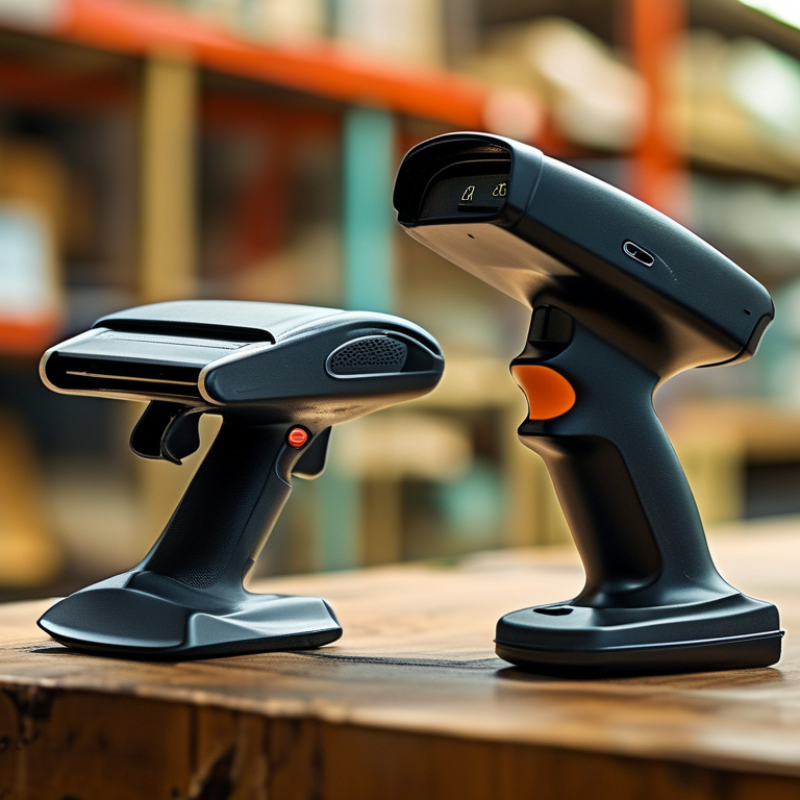
Look closely at the working environment. A handheld Bar Code Reader may suit a clothing store, while a fixed-mount model could fit a conveyor station. Wireless devices offer movement, but batteries require disciplined charging. Rugged models resist drops and dust, though their higher cost may not suit every small business. Cheap equipment can become expensive when employees repeat failed scans.
Test before committing. Scan your real labels, not perfect samples from a brochure. Measure the time needed for each transaction. Ask workers whether the grip feels tiring after several hours. I would also review software compatibility, warranty support, and replacement availability. A specification sheet cannot reveal every daily frustration. The best choice is the reader that performs consistently in your actual workflow, not merely the model with the longest feature list.
Define Scanning Needs: GS1 Reports 6 Billion Barcode Scans Daily
GS1 reports roughly six billion barcode scans occur worldwide each day. This figure changes how businesses should choose a reader. Scanning is not a minor checkout task. It supports receiving, stock counts, picking, shipping, and service records. A reader must match the work, not merely decode a symbol. Start by recording daily scans, label distances, barcode types, and lighting conditions. Count failures too. They reveal hidden costs.
For retail counters, a compact handheld reader may be enough. Warehouses need longer range, fast capture, and reliable performance around dust or cold storage. Manufacturing areas may require fixed readers that capture codes on moving items. If workers scan from awkward angles, a wide field of view can reduce repeated attempts. Test with the actual labels. Sample labels can look perfect. Real labels are often wrinkled, glossy, faded, or partly covered.
Connection matters as much as decoding speed. Confirm compatibility with inventory software, mobile devices, and existing workflows before purchase. Ask how data is encrypted, stored, and recovered after a connection loss. Train staff to notice duplicate scans and incorrect item placement. Small errors multiply across six billion daily scans. No checklist is perfect. Leave room for a short pilot, because promised speed may collapse under real workload. Review scan rates, failed reads, battery life, and operator comfort after one busy week. The cheapest reader may become expensive when every retry interrupts movement.
Choose 1D or 2D: Follow GS1’s Sunrise 2027 Retail Transition
How to Choose the Best Bar Code Reader for Your Business
The retail shift toward GS1 Sunrise 2027 changes how businesses should evaluate bar code readers. The goal is to support 2D barcodes at checkout, while many products still carry familiar 1D symbols. Choosing a 2D-capable imaging reader can protect your investment during this transition. It can scan more data, including product details, batch information, and expiration dates when properly encoded.
Look beyond scanning speed. Test the reader under real store conditions: curved packaging, glossy wrappers, dim aisles, and partially damaged labels. Confirm that it reads both 1D and 2D formats quickly from several angles. Your point-of-sale system must also interpret the added data correctly. A scanner may perform perfectly in a demonstration but fail when the cashier moves quickly. That gap matters.
Start with a small pilot. Place several reader models at busy checkout lanes and record missed scans, rescans, and training questions. I once assumed a faster reader would solve every checkout problem. It did not; poor barcode placement caused more delays. This is where practical testing supports the technical guidance behind GS1’s Sunrise 2027 direction. Check software compatibility, update policies, cleaning requirements, and staff comfort before making a final choice. A 1D-only device may cost less today, but replacing it later could create unnecessary disruption.
How to Choose the Best Bar Code Reader for Your Business
Choose 1D or 2D: Follow GS1’s Sunrise 2027 Retail Transition
Traditional retail EAN/UPC symbols typically identify a product with a GTIN only. GS1 2D symbols can carry the GTIN together with additional attributes such as lot or batch number, expiry date, and serial number. For businesses preparing for the GS1 Sunrise 2027 transition, choose a reader that supports both 1D and 2D symbols, image capture, and reliable scanning from mobile or printed surfaces.
The comparison shows common retail use cases. GS1-128 and other specialized 1D symbols may encode additional data, but EAN/UPC remain widely used for basic retail identification.
Match Reader Types: Compare Laser, CCD, Imager, and Hands-Free Models
Choosing the best bar code reader starts with the codes, not the device price. Laser readers work well with clean, one-dimensional codes on paper. They scan quickly across a checkout counter. However, they usually struggle with damaged, small, or two-dimensional codes.
CCD readers capture reflected light with a sensor array. They have no moving laser beam and perform reliably at short distances. They suit retail shelves, stockrooms, and fixed workstations. Their reading range can feel limited during busy warehouse tasks.
Imagers use a camera sensor to capture the entire code. They can read one-dimensional and two-dimensional formats, even from screens or angled labels. In practical testing, they often handle wrinkled packaging better. Still, poor lighting and excessive glare can reduce accuracy. Hands-free models help when workers scan many items repeatedly. A counter-mounted reader can reduce wrist movement and speed routine transactions. It may be less useful for oversized cartons.
Tips: Test every reader with real labels. Include faded print, curved packaging, glossy surfaces, and low-light conditions. Check scanning distance, cable durability, mounting space, and cleaning needs. A comfortable trigger matters more than expected. I once focused too heavily on scan speed and underestimated operator fatigue. That was a costly assumption.
Match the reader to the workflow. Choose laser for simple printed codes and consistent presentation. Consider CCD for close-range scanning with steady labels. Select an imager for mixed code types and mobile screens. Use hands-free scanning where both hands already stay occupied. Some operations may need two reader types, not one universal solution.
Verify Performance Using ISO/IEC 15415 and 15416 Barcode Grades
Choosing the best bar code reader starts with more than scan speed. Your labels must remain readable across printers, surfaces, lighting conditions, and working distances. In warehouse trials, a reader handled clean labels well but struggled with glossy packaging. That was revealing. A faster device is not always the safer choice.
ISO/IEC 15415 evaluates two-dimensional symbols, while ISO/IEC 15416 applies to linear bar codes. Use a calibrated verifier, not only the reader’s successful beep. These standards assess factors such as symbol contrast, modulation, defects, decodability, and unused error correction. Results commonly use grades from 0 to 4, or F to A. A scanner may decode a poor symbol today, yet fail when dust, glare, or print wear appears.
Test samples from real operations. Include small symbols, curved surfaces, faded edges, different print densities, and varying scan angles. Record the grade for each sample and repeat the test across several shifts. I once focused too heavily on average performance and overlooked occasional failures. That mistake could have been prevented with a wider sample set. Check the reader’s working range, aiming feedback, connectivity, drop resistance, and ease of cleaning. Ask for documented verification methods, calibration details, and results under conditions similar to yours. Performance claims need evidence.
Compare Total Cost: Hardware, Software, Service, and Downtime Expenses
How to Choose the Best Bar Code Reader for Your Business
Compare Total Cost: Hardware, Software, Service, and Downtime Expenses
A low purchase price does not always mean a lower business cost. Look beyond the invoice. During warehouse evaluations, I compare scanning speed, reading distance, battery life, and drop resistance. A device that fails near a loading dock can delay receiving, picking, and shipping. Those delays affect labor costs and customer service.
Software expenses deserve equal attention. Check licensing terms, updates, mobile-device compatibility, and integration with your inventory system. Some readers require extra configuration or custom development. Training also matters. If employees need several hours to learn scanning workflows, the labor cost becomes part of ownership. Ask for a realistic deployment estimate, not a perfect one.
Service agreements can reduce repair uncertainty, but they may include replacement limits or response delays. Review warranty coverage carefully. Measure the cost of one hour of downtime, including idle staff, missed shipments, and manual data entry. A spare unit may cost less than an emergency repair. My early cost estimates often missed small items, such as charging accessories and replacement batteries. A simple spreadsheet helps reveal them. Test the reader in real conditions, with damaged labels, gloves, bright light, and busy network traffic. That evidence is more reliable than a brochure.